
Brilliantor Editorial · October 17, 2026 · 4 min read
Vector vs Raster Artwork: Choose the Right Master Before You Resize
Choose vector or raster artwork by image content, editing needs and final output. Keep a usable master and avoid false quality fixes when resizing.
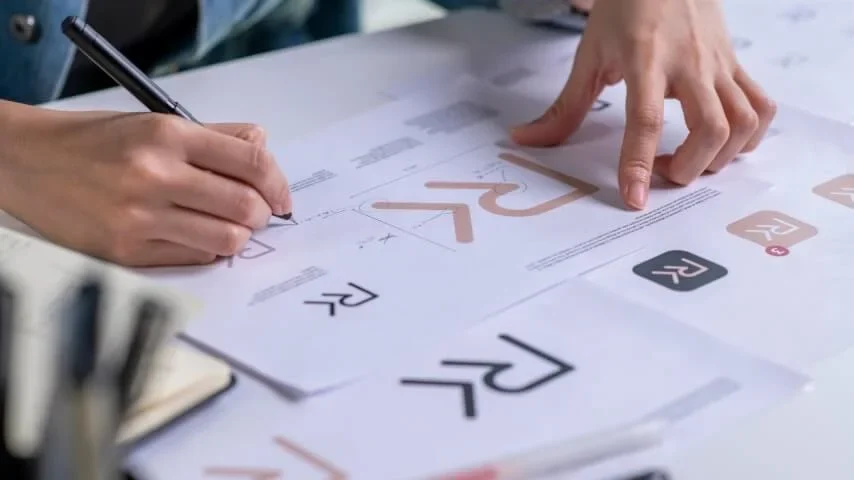
A logo must work on a small sticker today and a large poster next month. A photograph needs delicate texture and natural shading. Those are different design problems, even when both files arrive with the same extension. Choosing a useful master starts with what the artwork contains and what you expect to change.
Quick takeaways
- Use editable paths for simple marks that need repeated resizing.
- Keep photographs at sufficient native pixel dimensions for the intended placement.
- Inspect what is inside a file instead of trusting its extension.
- Keep the master separate from the production export.
Decide by the image, not the software
Adobe’s vector and raster comparison explains the underlying distinction: raster artwork represents an image with pixels, while vector artwork describes shapes mathematically. That makes editable vector paths useful for clean logos and diagrams; photographs naturally contain pixel-based detail. Neither category automatically makes a design good.
For a simple two-color symbol, ask for the original paths. For a portrait, ask for the original photograph rather than an image saved from a messaging preview. For a mixed poster, retain the editable layout together with its linked pictures. These requests prevent a later revision from starting with the wrong material.
Check the contents of a supposed vector file
A container can hold several kinds of content. Opening a PDF in a design application does not prove that every element is an editable path. A photograph placed inside a layout remains a photograph. A low-resolution logo embedded in a vector document still needs attention.
Select the logo itself and inspect its construction. Can its curves be edited individually? Is it a placed image? Are shadows and textured effects rasterized? Record those answers before promising that the mark can be enlarged for any application. Ask the original designer for the source when the structure is unclear.
Treat tracing as a redesign decision
Automatic tracing can produce a useful starting point for a simple silhouette. It can also change corners, close small gaps and add unnecessary points. Compare the result against the approved mark before adopting it as the new master.
A photograph converted into thousands of colored shapes does not become a better photograph merely because its output is vector. Decide whether a stylized illustration is actually wanted. If the answer is no, preserve the photograph and solve the size problem through the available original image or a different composition.
Plan two outputs for a small collection
Imagine a campaign with a logo sticker and a photographic wall print. Start with the exact sticker model and poster model you are considering. Confirm each template and accepted delivery format separately. The logo master and the photo master can serve the same campaign without becoming one universal upload.
For the sticker, keep a clean editable symbol and review small interior spaces. For the poster, inspect the intended crop at its physical output size. Do not use the website thumbnail as the production image. Our print-ready artwork guide covers the broader handoff; this decision happens before that export checklist.
Make an enlargement comparison that teaches something
Compare one simple curved shape in two panels: editable paths on one side and a deliberately low-resolution pixel sample on the other. Add equally sized close-ups beneath them. Label the pixel sample as an illustration so readers do not mistake it for a test of a specific product or printing process.
The lesson is about image construction. It should not suggest that every raster image prints poorly or that vector paths remove physical production limits. Keep color treatment consistent so it does not turn into an accidental color-mode comparison.
Frequently asked questions
Is a PNG always unsuitable for a logo?
No. A correctly sized PNG may suit a particular delivery requirement. Keep an editable master as well when future resizing or revision is likely.
Should I convert every photograph to vector?
Only when a deliberate illustrated treatment is part of the brief. Conversion is not a universal detail-recovery method.
Bring the master into the quote conversation
“We have this editable logo, this original photograph and these intended product sizes” is a stronger starting brief than “please make this file high quality.” Request a project quote with the selected products and available masters so the next decision can be specific.